Account settings
Within account settings, you can review and manage these settings:
You can access account settings from the menu that appears when you click your username in the upper-right corner of the page.
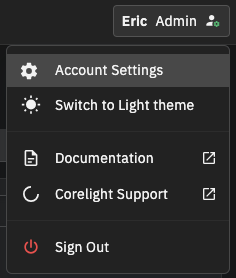
Menu options vary by role and tenant configuration.
Note
If you have access to multiple tenants in a federated environment, you can also set a default tenant from this page. See Federated Tenants for details.